


Highlights
How to Specify a Tablet Charging Locker

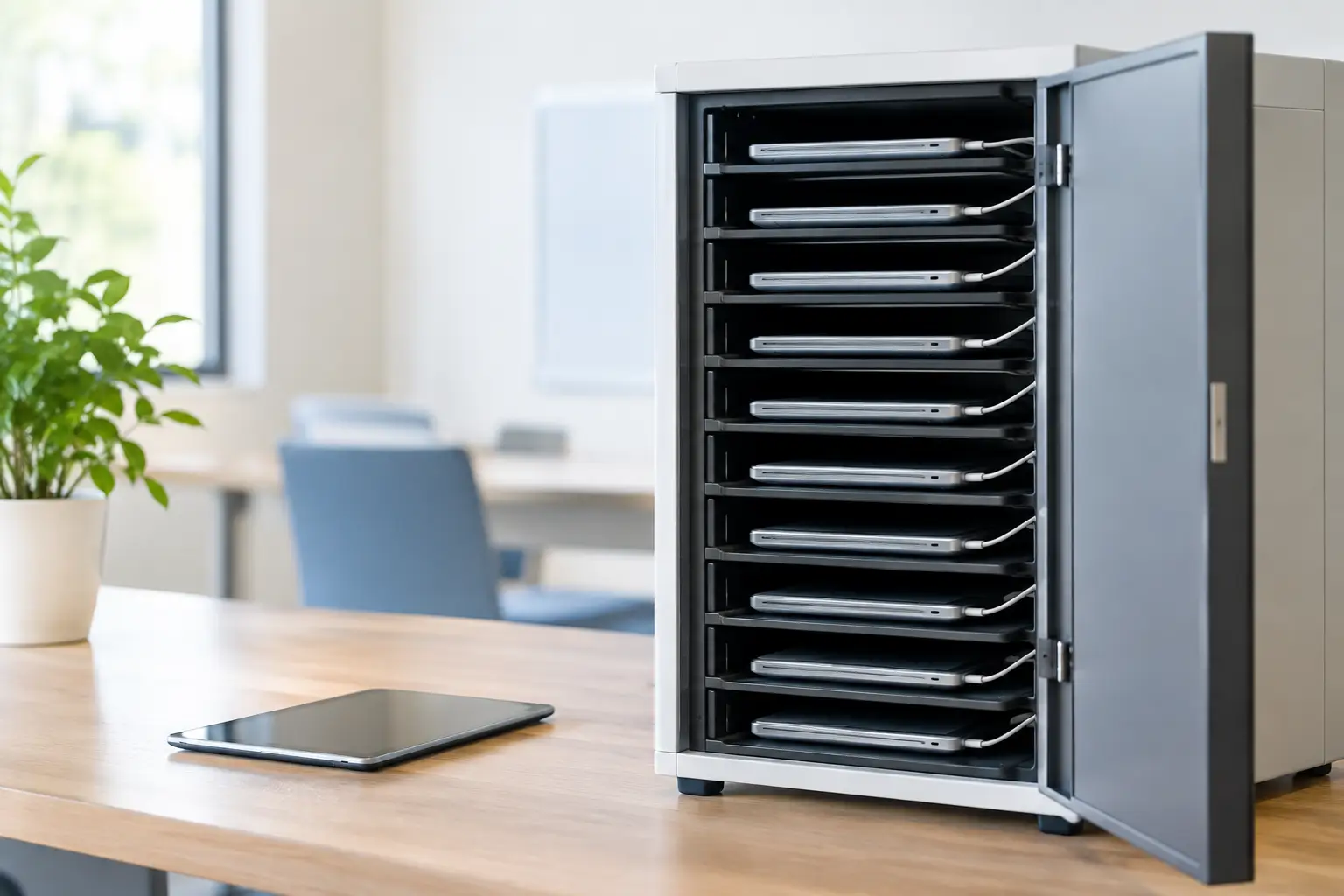
A tablet charging locker has to do more than hold devices behind a locked door. In a school media room, shared office, training center, or healthcare department, it becomes part of the daily handover process: devices are returned, charged, secured, and issued again without creating a queue or a safety concern.
For procurement and facility teams, the right specification protects a significant device investment while reducing the small operational failures that add up quickly: missing chargers, flat batteries, tangled cables, unauthorized access, and damaged equipment. The best choice depends on the number of tablets, charging method, user access model, room conditions, and expected frequency of use.
What a Tablet Charging Locker Should Solve
A charging locker combines three functions that are often purchased separately: secure personal storage, organized cable management, and controlled power access. That combination matters when tablets move between users or departments. A standard storage cabinet may secure the devices, but it does not necessarily manage charging leads or heat. An open charging cart can make devices available, but it offers less control over access.
The main objective is predictable device readiness. Users should be able to collect a charged tablet at the start of a shift, lesson, or session, then return it to an assigned compartment with minimal effort. When the process is clear, IT staff spend less time tracking devices and facility staff deal with fewer charging-related issues.
A metal construction is usually the practical choice for shared commercial environments. It withstands repeated opening and closing, offers better resistance to impact than light-duty alternatives, and supports a long service life. For high-traffic facilities, door alignment, hinge quality, lock durability, and powder-coated finish are not minor details. They determine whether the locker remains usable after years of daily operation.
Specify the Locker Around Your Device Fleet
The first question is not simply how many tablets need charging. It is how those tablets are used and who is responsible for them.
A classroom may need one compartment per student, with each tablet and charging cable kept together. A corporate training room may need larger shared compartments for sets of devices. A healthcare team may require controlled access for staff-issued tablets, while a distribution facility may prioritize fast collection and return at shift changes. Each situation points to a different door count, compartment size, and locking arrangement.
Measure the complete charging setup
Tablet dimensions alone are not enough. Measure the tablet with its protective case, charging connector, cable bend radius, and any accessories that will be stored inside. A compartment that fits the device tightly may still be impractical once a cable is connected.
Allow adequate internal clearance so users can place and remove the tablet without forcing the cable or scraping the screen. If devices are stored in thick protective cases or paired with keyboards, specify the internal dimensions around the complete kit. This avoids a common procurement mistake: buying a locker sized for the device catalog specification rather than the equipment used on site.
Choose the right number of doors
Individual doors offer accountability. Each user, student, or employee can receive a dedicated compartment, which reduces confusion and makes missing-device investigations easier. They are well suited to personal issue-and-return systems.
Fewer, larger doors can be more efficient when devices are managed in batches. This approach works for training departments, IT pools, and teams that issue tablets by group rather than by individual. The trade-off is less personal ownership and potentially more coordination at collection time.
A useful rule is to match door count to the handover process, not just the total tablet quantity. A 30-device locker with 30 doors serves a different operation than a 30-device cabinet with six shared compartments.
Power Management and Electrical Safety
The charging system must support the device manufacturer’s approved charging method. Many tablet fleets use USB-C power adapters, while others rely on USB-A, proprietary connectors, or managed docking solutions. Before selecting a unit, confirm the power demand of every device and charger that will operate at the same time.
A well-designed charging cabinet keeps power components organized and separated from the user-facing storage area where appropriate. Cable routing should prevent loose leads from being pulled, pinched in doors, or tangled between compartments. Power access should also be practical for maintenance, allowing authorized personnel to inspect adapters and replace damaged cables without dismantling the entire locker.
Heat management deserves equal attention. Charging generates heat, particularly when many devices charge simultaneously in an enclosed cabinet. Ventilation openings and a layout that avoids tightly packed adapters help manage operating temperatures. The correct solution depends on the charger type, number of devices, ambient room temperature, and expected charging duration.
For commercial projects, electrical components should meet the applicable standards for the destination market. Procurement documents should clearly define plug type, voltage, frequency, cable requirements, and any site-specific electrical rules. International buyers should not assume a standard configuration will suit every installation location.
Select Access Control for the Real User Environment
Lock choice changes how a charging locker is managed. A keyed lock is simple and economical, making it suitable where a limited number of supervisors control access. The drawback is key administration. Lost keys and poorly managed copies can create avoidable work.
Combination locks can reduce key handling for assigned users, especially in schools, staff rooms, and shared workplaces. They require clear reset procedures and user support when codes are forgotten. Digital locking systems can provide greater flexibility for larger operations, including temporary access, audit requirements, or centrally managed credentials, but they add cost and may require power, software, or integration planning.
The most suitable access method depends on risk and operating scale. For a small office, straightforward keyed access may be sufficient. For a multi-shift industrial site with shared devices, controlled digital access may provide better accountability. Security should be proportional to the value of the tablets and the consequences of a missing device, not selected only for appearance.
Plan the Installation Before Delivery
A charging locker needs a permanent, usable location. Check the available wall length, depth, doorway clearance, floor condition, and access to electrical outlets before finalizing dimensions. Door swing is often overlooked. A locker may fit against a wall but become difficult to use when several doors are open during a busy changeover.
Consider where charging cables will connect and whether power outlets are accessible for inspection. Avoid locations exposed to persistent moisture, excessive dust, direct heat sources, or routes where carts and equipment can strike the cabinet. In schools and public facilities, anchoring may be appropriate to prevent movement or tipping, particularly for taller units.
The surrounding workflow also matters. A locker positioned far from the point of use may remain secure but encourage poor return habits. Place it where users can return devices naturally at the end of an activity, without blocking corridors or workstations.
Questions to Ask a Manufacturer
Commercial buyers should request practical answers before placing an order. Confirm the steel thickness, finish type, internal compartment dimensions, locking options, ventilation design, power configuration, and warranty terms. Ask whether the unit can be adapted for specific tablet models, branded color schemes, numbering systems, or site layouts.
Customization is particularly valuable when a standard cabinet almost fits the application but not quite. A change in compartment height, door arrangement, cable routing, or lock type can prevent operational compromises for years. Loxmet supports both standard metal storage products and project-specific configurations, helping buyers align charging storage with their actual working conditions.
Lead time and order flexibility should also be part of the decision. A standard model may be the best option when a site needs equipment quickly. A tailored production run may be justified when the locker will be installed across multiple locations or used as part of a wider facility fit-out. The lower initial price is not always the lowest operational cost if it leads to damaged cables, poor access control, or premature replacement.
Make Device Return the Easiest Step
The most effective tablet charging locker is one that users can operate correctly without repeated instruction. Clear compartment numbering, sensible cable placement, durable doors, and an access method suited to the site will do more for device availability than complicated processes.
Specify the cabinet around the people, tablets, and daily routines it must support. When storage, charging, and accountability work together, the locker becomes a dependable part of the operation rather than another item for staff to manage.