


Highlights
Tablet Charging Cabinet Buying Guide

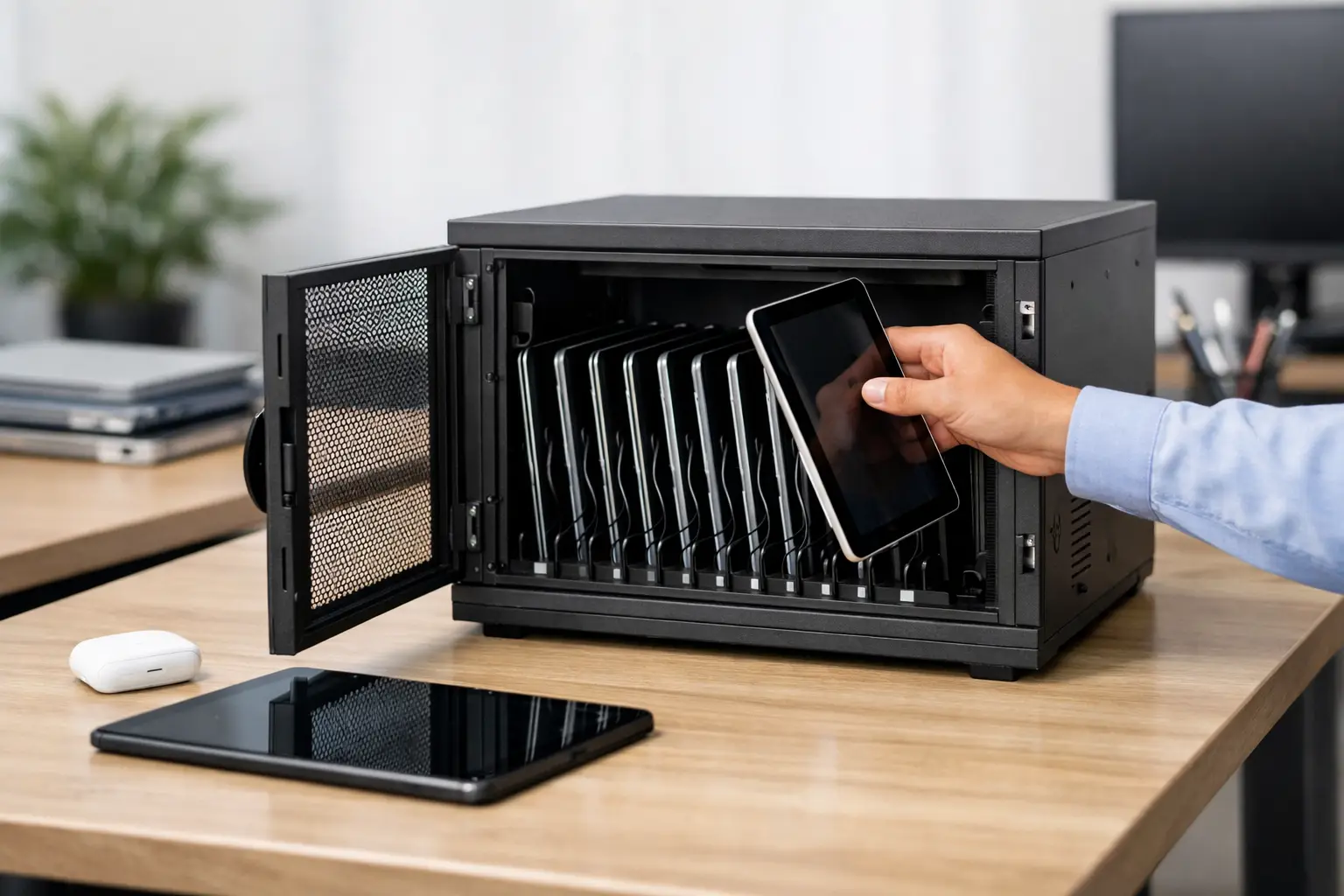
A tablet charging cabinet solves a problem most facilities recognize only after devices start disappearing, cables fail, and carts block hallways. In schools, offices, healthcare settings, and shared workspaces, tablets are rarely the issue. Storage, charging discipline, and device control are. A well-built cabinet brings those three functions into one fixed, secure system.
For procurement teams and facility managers, that matters because tablet storage is no longer a minor accessory purchase. It affects device lifespan, user access, floor space, and daily operations. The right cabinet supports charging without creating heat buildup, secures equipment without slowing staff down, and fits the way your site actually works.
What a tablet charging cabinet is meant to do
At a basic level, a tablet charging cabinet stores multiple devices in one lockable enclosure while supplying power in an organized way. That sounds simple, but the difference between a cabinet that works well and one that creates daily friction is usually in the construction details.
A commercial tablet charging cabinet should keep devices protected when not in use, support consistent charging, reduce cable clutter, and make check-in and check-out manageable. In high-use environments, it also needs to handle repeated opening and closing, frequent device movement, and occasional rough treatment from users or staff.
This is why material choice matters. Metal cabinets are often preferred in institutional and workplace settings because they hold up better under repeated use, offer stronger security, and perform more reliably over time than light-duty alternatives. For business buyers, durability is not just about product life. It is also about reducing replacement cycles and maintenance calls.
Where a tablet charging cabinet makes the most sense
The strongest use case depends on how devices are shared.
In schools and training centers, tablets move between classrooms, labs, and storage points. A fixed cabinet helps centralize charging and limits loss between sessions. In offices, tablets are often assigned to meeting rooms, visitor registration desks, field teams, or shared operational tasks. Here, the cabinet becomes part of workplace organization as much as power management.
Healthcare facilities have a different priority. Devices may be used across shifts, across departments, or for patient-facing workflows. That makes secure access and dependable charging more important than mobility. In industrial or logistics environments, tablets may support scanning, inspection, or reporting tasks, so the cabinet needs to withstand a tougher setting and fit within a practical storage plan.
This is where buyers should pause before choosing between a cabinet and a cart. If devices need to move constantly from room to room, a cart may be useful. If the goal is secure, space-efficient charging at a fixed location, a cabinet is usually the better long-term option.
How to choose the right tablet charging cabinet
The first question is capacity. Buyers often focus on current device count, but the better question is peak demand over the next few years. If you have 16 tablets today and expect to expand to 24, a cabinet sized only for current needs may become a short-lived solution.
The second question is device size and accessories. Not all tablet storage bays are equal. Some sites use slim consumer tablets with minimal cases. Others use ruggedized devices, protective covers, keyboards, or barcode accessories. Slot width, shelf spacing, and cable routing need to match the actual device profile, not just the screen size listed on a spec sheet.
Power setup comes next. Some cabinets are designed around AC adapter storage and internal power strips, while others may support USB-based charging layouts. The right choice depends on your charging standard, cable management needs, and how much flexibility you want for future device changes. If your device mix may evolve, a more adaptable internal layout is often the safer investment.
Security should be evaluated just as carefully as charging. A tablet charging cabinet in a school hallway, staff room, or shared office area needs a lock system that matches the environment. Basic keyed access may be enough in some sites. In others, controlled access and stronger lock options will be more appropriate. The cabinet body, door construction, and hinge protection all contribute to real security.
Tablet charging cabinet features that matter in daily use
Ventilation is one of the most overlooked points. Charging multiple devices in an enclosed space creates heat. If the cabinet does not allow proper airflow, heat buildup can affect charging performance and device health over time. Good ventilation design is not optional, especially in warmer climates or buildings without stable temperature control.
Cable management also matters more than many buyers expect. Poor cable routing leads to damaged connectors, tangled shelves, and more staff time spent resetting stations. A cabinet with a practical internal layout keeps adapters organized, separates power areas from device storage where possible, and allows quick access for maintenance.
Door design affects workflow. Wide-opening doors make loading and unloading easier, especially when staff are managing multiple devices at once. Shelving design affects the same process. Tight spacing may increase density, but if users struggle to remove devices without catching cables or cases, efficiency drops.
Finish quality is another practical factor. In commercial settings, the surface needs to resist scratches, wear, and repeated cleaning. This is especially relevant in education, healthcare, and public-use environments where cabinets are handled every day.
Fixed cabinets versus mobile solutions
A fixed tablet charging cabinet is usually the better fit when security, location control, and floor efficiency are priorities. It can be installed in a designated room, IT area, staff station, or controlled corridor and used as a stable part of the facility layout. That reduces movement-related wear and lowers the risk of accidental damage during transport.
Mobile solutions still have a place, but they introduce trade-offs. Casters, handles, and moving parts can increase maintenance over time. Mobile units also need clear circulation space and can become inconvenient in crowded buildings. If the devices do not need to travel every day, a fixed cabinet often delivers better value and fewer operational compromises.
Why customization can be the difference-maker
Standard products cover many use cases, but not every facility works the same way. Some buyers need a specific compartment count. Others need a cabinet sized for a wall recess, a secure staff-only room, or a mixed-device setup. Lock type, ventilation pattern, color, shelving arrangement, and power configuration may all need to align with site requirements.
For project buyers, this is where working with a manufacturer matters. A supplier that understands metal fabrication can adapt dimensions and internal design to fit the space and the device program rather than forcing the site to work around a generic product. That is often the difference between a cabinet that is simply installed and one that is used properly every day.
Loxmet approaches this category with the same logic applied across industrial storage products – durable construction, practical design, and flexibility for business buyers who need a dependable long-term solution.
Common buying mistakes to avoid
The most common mistake is underestimating how tablets are actually used. Buyers may choose a cabinet based on device count alone and overlook charging adapter size, protective cases, or user traffic. The result is a unit that looks suitable on paper but performs poorly in daily operation.
Another mistake is treating all environments the same. A cabinet for a classroom wing does not necessarily suit a healthcare station or an industrial control point. Access frequency, cleaning requirements, user behavior, and security exposure all vary by site.
The last major mistake is focusing only on purchase price. A lower-cost unit may look attractive at the quote stage, but if it wears out faster, requires more maintenance, or fails to support future device changes, total cost rises quickly. For commercial buyers, reliability is usually the more economical path.
Planning for long-term value
A good tablet charging cabinet should still make sense after your device program grows, your teams change, or your space is reconfigured. That means thinking beyond immediate storage needs and looking at service life, adaptability, and operational fit.
The strongest purchases are usually the simplest to justify. They reduce clutter. They support charging consistency. They protect expensive equipment. And they help staff manage shared devices without wasting time. When those outcomes are built into the cabinet from the start, the product stops being just another storage unit and becomes part of a more controlled, efficient workplace.
If you are specifying for a new project or replacing an improvised setup, choose a cabinet that matches the real conditions of your site, not an idealized one. That decision will pay back in fewer problems, better device control, and a storage system your team can rely on every day.