


Highlights
USB Charging Locker Selection for Busy Facilities

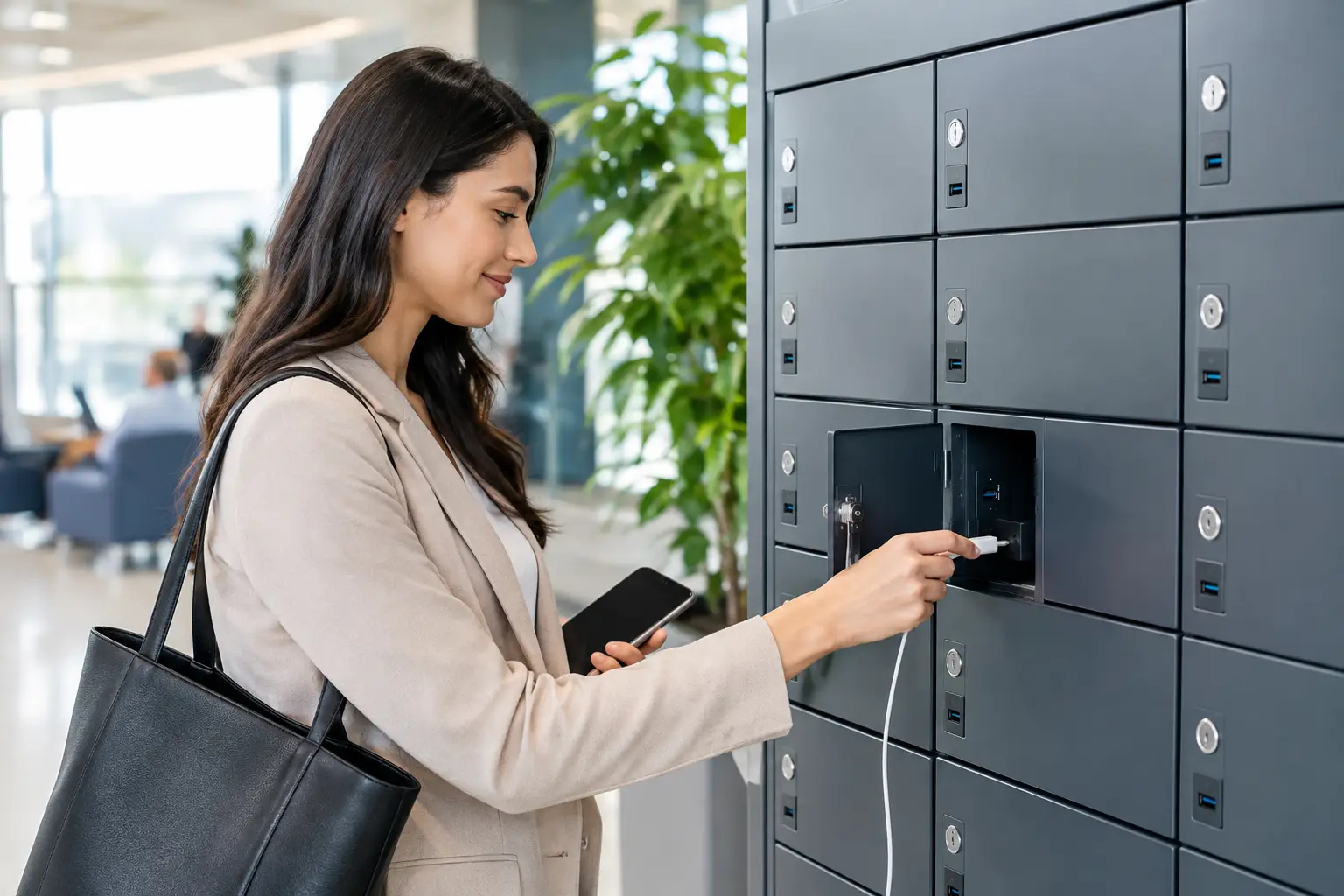
A dead tablet during a training session, unsecured phones in a locker room, or a stack of charging cables across a reception desk all create the same operational problem: devices need a controlled place to be stored and powered. A usb charging locker gives facilities a practical answer by combining individual security, organized charging, and durable metal construction in one system.
For procurement teams, the decision is not simply about adding USB ports. The right unit must suit the number of users, the devices being charged, the available floor or wall space, the electrical setup, and the level of daily wear the installation will face. A charging locker should reduce clutter and supervision, not introduce another maintenance concern.
What a USB Charging Locker Should Deliver
A charging locker provides separate lockable compartments with integrated USB charging access. Users can place phones, tablets, handheld scanners, radios, or other compatible devices inside, connect a cable, and retrieve them later without leaving equipment exposed on desks or counters.
This arrangement is useful wherever devices move between people or shifts. Schools can give students a secure point for phones and tablets. Offices can support shared equipment and visitor charging. Gyms can offer a valuable member amenity. Warehouses, healthcare facilities, and production sites can manage scanners, communication devices, and mobile work tools between shifts.
The main benefit is control. Each compartment assigns responsibility to one user or one device group while keeping charging equipment organized. That can reduce loss, remove trip hazards from loose cables, and improve the readiness of shared devices at the start of the day.
Start With the Devices, Not the Cabinet
The number of doors is often the first specification buyers compare, but compartment size and charging requirements should come first. A locker designed for smartphones may not accommodate protective cases, tablets, barcode scanners, or larger handheld terminals. Measure the largest device in its usual working condition, including cases, charging plugs, and cable bend space.
USB-A and USB-C requirements also need to be defined early. USB-A remains common for existing cables and basic device charging. USB-C is increasingly relevant for newer tablets, phones, and professional mobile equipment. If users supply their own cables, the compartment needs enough room for different connector shapes and cable lengths. If the facility supplies cables, replacement availability should be planned from the beginning.
Charging speed is another practical distinction. A unit intended for overnight storage may not need high-output charging at every door. A staff room where employees have only a short break may require more charging capacity. The correct choice depends on dwell time, device battery size, and how critical it is for equipment to return to service quickly.
Consider Shared Devices Separately
Shared operational devices need a different setup than personal phones. A scanner fleet or set of radios may need numbered compartments, fixed charging leads, and a clear handover process. In these cases, a locker becomes part of shift management rather than simply a convenience feature.
It may also be better to specify larger compartments with fewer doors. High-density storage is valuable, but forcing expensive equipment into tight spaces makes daily use harder and can increase cable damage. Capacity should match the real device mix, not only the highest possible door count.
Security Must Match the Facility
The locking method should reflect who uses the unit and how access is managed. Key locks are straightforward and effective where users have assigned lockers or facility staff can control keys. Combination locks remove key administration but require users to remember codes. Digital locks can support more flexible access arrangements, especially in visitor-facing or shared-use environments.
For employee or student use, individual compartment locking is usually essential. For managed device pools, master access may be necessary so supervisors can retrieve equipment, inspect compartments, or respond when a user leaves without clearing a locker. The access policy should be set before ordering, because it affects lock selection and operational responsibility.
The cabinet itself matters as much as the lock. Steel construction, durable doors, secure hinges, and a finish suited to frequent cleaning all contribute to long service life. In high-traffic facilities, thin consumer-grade cabinets can quickly develop bent doors, loose fittings, or alignment issues. A metal locker built for commercial use is a better fit where hundreds of openings per week are expected.
Electrical Safety Is a Procurement Requirement
Charging lockers combine storage and power, so electrical design cannot be treated as an afterthought. Buyers should confirm how power enters the unit, where service access is located, and whether the installation requires a dedicated outlet or support from a qualified electrician. The site must also have a clear plan for placing the cabinet away from moisture and avoiding blocked ventilation.
USB charging modules should be selected for the expected device load. Overloading a power source, using poor-quality adapters, or allowing damaged cables to remain in service creates avoidable risk. A controlled charging locker helps centralize these issues, but only when the unit is specified correctly and maintained.
Facilities should establish simple rules for users: charge approved devices only, do not force oversized plugs or cables through openings, and report damaged connectors immediately. For workplace-issued equipment, keeping compatible cables within each compartment can prevent users from bringing unsuitable chargers from home.
Ventilation and Heat Management
Most phones and tablets generate limited heat during normal charging, but multiple enclosed devices can still raise the temperature inside a cabinet. Ventilation design, spacing between compartments, and the expected charging duration should all be considered. This is particularly relevant for larger batteries, industrial handheld devices, or lockers located in warm production areas.
A well-planned installation also leaves clearance for doors to open fully and for maintenance personnel to access the electrical side of the unit. A locker that is difficult to service will eventually become difficult to operate.
Choose the Right Configuration for the Space
Freestanding charging lockers work well in entrances, break rooms, locker rooms, and shared work areas where floor space is available. Wall-mounted configurations can preserve walking areas in narrow corridors, classrooms, and reception zones. The best format depends on traffic flow, wall capacity, access to power, and cleaning requirements.
Placement should be intentional. A unit hidden in a low-visibility corner may discourage use or make misuse harder to monitor. One placed directly in a congested path can create a bottleneck. For public or semi-public settings, position the locker where users can access it comfortably while staff can maintain general oversight.
Color, door numbering, and labeling may appear secondary, but they improve daily operation. Clear numbering reduces disputes over compartments and speeds up support requests. Company colors or coordinated finishes can help a charging locker fit an office, education, or commercial interior without compromising its industrial purpose.
Customization Is Often the Better Business Decision
Standard products are a strong choice when the device types, dimensions, and site requirements are familiar. They can shorten purchasing time and support faster delivery. However, facilities with unusual equipment, limited space, specific branding requirements, or strict compartment dimensions may benefit from custom fabrication.
Customization can include door quantities, compartment sizes, lock types, color, numbering, ventilation patterns, and charging layouts. For a multi-site project, standardizing these details across locations can simplify staff training, replacement parts, and future expansion.
Loxmet supports both standard and project-based metal storage requirements, which is useful when buyers need charging lockers alongside employee lockers, cabinets, benches, or other facility storage. Working with one manufacturer can also help maintain consistent finishes and construction standards across a larger fit-out.
Questions to Ask Before Placing an Order
Before approving a charging locker, confirm the devices, user count, charging time, lock type, installation location, electrical connection, and maintenance responsibility. Ask for full compartment dimensions rather than relying on external cabinet measurements. Confirm the charging interface and output requirements for the actual devices in use.
Also consider growth. If a school is increasing tablet use or a warehouse is adding handheld terminals, a fully occupied locker may become insufficient quickly. Adding modest spare capacity is often more cost-effective than replacing the installation after one expansion cycle.
A charging locker earns its place when it makes device handling simpler for users and more predictable for the facility team. Specify it around real equipment, real traffic, and real operating routines, and it can provide secure charging capacity for years of daily use.