


Highlights
How to Specify a Tablet Storage Locker for Workplaces

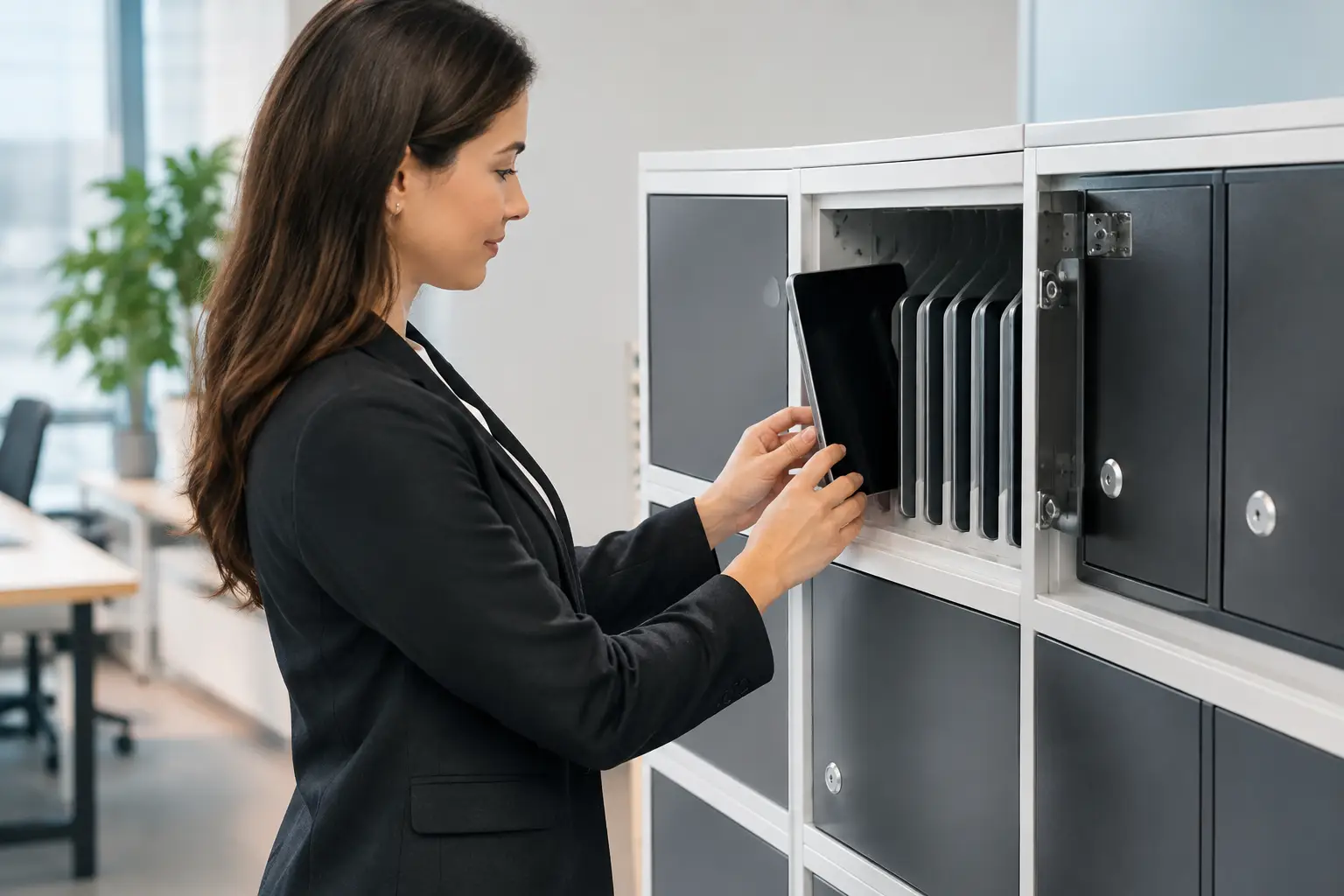
A tablet storage locker is not simply a cabinet with power outlets. In a school, warehouse, healthcare site, office, or training center, it becomes part of the daily device workflow. It must protect valuable equipment, keep devices charged between shifts or classes, reduce cable clutter, and remain dependable under frequent use.
The right specification starts with how tablets move through the facility. A locker used by 10 employees at the end of each shift needs a different layout from one serving 30 students throughout the day. Capacity matters, but so do charging access, compartment dimensions, locking method, ventilation, and the strength of the metal body.
Start With the Real Device Workflow
Before selecting dimensions or door styles, define who uses the tablets and when. Shared devices that are returned after every shift usually need assigned charging compartments and a simple access process. Tablets used in classrooms may require a mobile unit or a fixed locker positioned close to the point of use. For visitor check-in stations, meeting rooms, or field teams, a smaller locker may be sufficient if devices are collected and reissued by a supervisor.
This operational detail affects every part of the purchase. A high-capacity unit may appear more cost-effective per device, but it can create delays if too many users need access at once. Individual doors give clear accountability and limit access to assigned devices. Larger shared compartments reduce the number of doors and locks, but they require stronger internal organization.
Also consider the device itself, not just the screen size. Tablets with protective cases, keyboards, hand straps, charging docks, or barcode scanners need more clearance than standard consumer tablets. Measuring the largest configured device prevents a common mistake: buying a locker that fits the hardware only after accessories have been removed.
Tablet Storage Locker Capacity and Layout
Capacity should be based on the number of devices in service, plus practical allowance for replacements and future growth. A 20-device operation may need 24 compartments when spare units, seasonal staff, or charging rotation are part of the process. Adding this capacity at the specification stage is usually more efficient than introducing a second, unmatched unit later.
Vertical compartment layouts use floor space efficiently and work well where each person has a dedicated tablet. Horizontal bays can be easier to load and may better accommodate tablets stored with cases or keyboards. The best format depends on available wall space, user height, cleaning access, and whether devices are placed in the locker several times each day.
For larger facilities, several smaller locker banks can be more practical than one large cabinet. Distributed storage shortens walking distances and reduces congestion during shift changes. It also supports phased expansion as headcount or device fleets increase.
Allow Space for Cables and Power Adapters
Charging compartments need more than enough room for the tablet. They also need a safe route for charging leads and adapters. Tight compartments can bend cables, strain connectors, and make it difficult for users to confirm that a device is actually charging.
Choose internal layouts that keep cables contained rather than hanging across door openings. Where standard USB charging is used, integrated USB ports may simplify cable management. Where manufacturer-supplied power adapters are required, confirm that each compartment accommodates the adapter size and that the electrical layout supports the intended load.
Specify Charging for Safe Daily Use
Charging is the function that turns a storage unit into an operational asset. It also requires careful planning. The electrical specification should match the number of devices charged simultaneously, their charging requirements, and the power supply available at the installation location.
A unit that charges every tablet at once is appropriate when devices must be ready at the beginning of each day or shift. In other cases, timed charging or managed charging may reduce electrical demand. The right approach depends on the device fleet, the site’s electrical capacity, and the available charging window.
Ventilation is equally important. Charging generates heat, especially when many devices are stored in a compact enclosure. Vented doors, perforated panels, or designed airflow paths help manage heat buildup. The goal is not maximum ventilation at any cost, since open perforations can affect dust protection and visual privacy. It is a balance between thermal performance and the conditions of the facility.
Electrical components should be specified for commercial use and installed to suit local requirements. Procurement teams should verify cable routing, plug type, overload protection, access to the main power connection, and whether maintenance staff can service charging components without dismantling the entire cabinet.
Choose Security That Fits the Site
The locking method should reflect the value of the devices and the way people access them. Key locks are familiar and straightforward, particularly when a supervisor controls access. They can be less suitable for large user groups because keys are easily misplaced and replacement management creates work.
Combination locks remove the need for physical keys, while digital locks can support changing access codes and user accountability. Central master access is useful for IT teams, facility managers, or teachers who need to recover devices quickly. In high-turnover environments, the ability to reset access without replacing hardware is a practical advantage.
Security is more than the lock. Door construction, hinges, frame strength, and the connection between the cabinet and the floor or wall all matter. A heavy-duty metal locker with concealed or protected hinges provides better resistance to forced access than a light-duty cabinet designed for occasional use. For public or unsupervised areas, anchoring points should be part of the specification rather than an afterthought.
Demand Construction That Can Handle Repetition
Tablet lockers receive constant use. Doors open and close hundreds of times per week. Power cords are handled repeatedly. Cleaning teams may wipe surfaces daily, and users may place bags or equipment against the cabinet. Thin materials, weak hinges, and poorly finished edges show their limits quickly in these conditions.
Powder-coated steel is a practical choice for commercial tablet storage because it provides strength, cleanability, and resistance to routine wear. The appropriate steel thickness depends on the cabinet size, door design, location, and security requirement. A compact unit in a supervised office does not need the same construction as a large installation in a busy school corridor or industrial changing area.
Look closely at door alignment, hinge quality, reinforced corners, and internal shelves or dividers. These details affect how the locker performs after years of repeated loading. Smooth edges and easy-to-clean surfaces also matter in healthcare, food-service support areas, and facilities with strict housekeeping standards.
Plan the Installation, Not Just the Product
A well-built locker can still cause problems if it is placed in the wrong location. Installation planning should cover floor loading, wall condition, access to electrical outlets, door swing clearance, emergency routes, and cleaning space. For fixed units, confirm whether wall or floor anchoring is required and whether the building structure can support it.
The cabinet should be close enough to the users to encourage returns, but not positioned where queues block corridors or work areas. In schools, this may mean placing units at classroom clusters rather than centralizing every device in one room. In warehouses, it may mean locating charging lockers at shift entry points while keeping them away from vehicle traffic and high-dust processes.
If the equipment will be moved between locations, mobility needs to be designed in from the start. Casters, handles, braking systems, and cable management all affect safe movement. A mobile unit offers flexibility, but a fixed cabinet usually provides higher security and simpler electrical setup.
Work With a Manufacturer That Can Match the Requirement
Standard tablet locker configurations are often the fastest route for straightforward projects. Custom fabrication becomes valuable when compartment sizes, door counts, lock types, colors, branding, electrical layouts, or installation dimensions must match a specific environment. The choice depends on whether customization solves a real operational issue or simply adds cost and lead time.
For multi-site rollouts, consistency is essential. The same compartment dimensions, replacement lock parts, finish quality, and charging arrangement should be available across the project. This simplifies staff training, maintenance, and future expansion. Loxmet supports both standard and customized metal storage projects, helping buyers align locker construction with capacity, security, and site conditions.
A tablet storage locker should make device control easier for users, IT teams, and facility managers. Specify it around the daily routine, then select the charging, security, and construction features that will continue to perform long after installation.