


Highlights
Laptop Charging Lockers: Power and Security in One Compartment

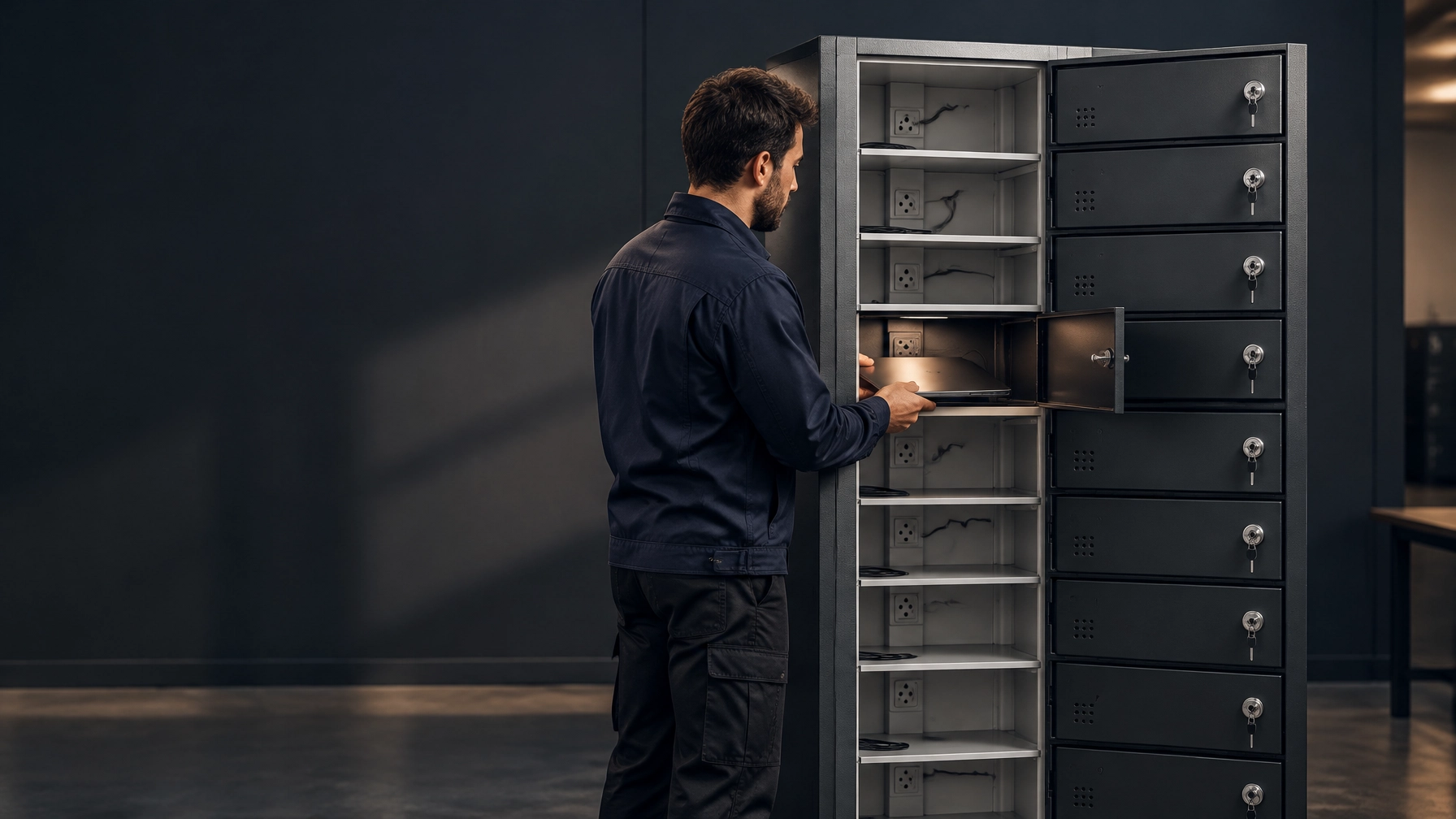
Laptop charging lockers give teams a secure place to store devices and recharge them between uses. Specify the charging workflow, device fit and local power configuration together, so laptops are protected and ready for the next user.
| Specification | Loxmet 10-door model |
|---|---|
| Intended devices | Laptops and tablets |
| Compartments | 10 individually lockable doors |
| Overall dimensions | 500 × 400 × 1,820 mm |
| Charging | One electric socket per compartment |
| Power configuration | Confirmed for the destination market at order stage |
Laptop Charging Lockers: Make Charging Part of the Handover
A charging locker works best when it fits the real device routine: users connect a device, place it in its compartment, close and lock the door, and collect it when needed. One socket per compartment keeps charging associated with each stored device instead of relying on an open shared surface.
That simple process can help reduce loose equipment, missed charging and misplaced devices. It gives staff a clear return point and supports secure storage during shifts, lessons or shared-device handovers.

The listed 10-door model is designed for laptops and tablets; Loxmet does not list a separate laptop-only model. Confirm device and case dimensions against the usable compartment space before ordering. If your fleet needs a different bay arrangement, our team can discuss custom fabrication.
View the 10-door laptop and tablet charging locker or compare other options in the charging locker range.
Plan for the Full Charging Load
A multi-bay charging locker is one electrical load for site planning. Add the rated input requirements of the devices that may charge at the same time, then compare that demand with the selected cabinet’s stated input rating and your site’s supply.
Do not estimate capacity from door count alone or assume every charger draws the same power. Laptop models, adapters and charging routines vary. Ask the supplier for the cabinet’s maximum input details, then have a competent electrical professional check the installation against local requirements.
Socket types and voltage vary by destination market. Confirm the configuration when you order, rather than planning to change plugs or wiring after delivery. If your project also needs a phone charging locker, specify the device types and power arrangement for each selected unit. Facilities that also store staff phones at the door often pair these units with mobile phone lockers.
Ventilation, Cables and Device Fit
Charging creates heat. The right airflow depends on the devices, charging components and cabinet design. Passive ventilation uses openings to support natural air movement; active ventilation uses fans to move air and adds components that need inspection and servicing. Follow the selected product’s instructions, keep vents unobstructed and confirm whether its design suits your expected charging routine.
Check how each device and its cable sit inside the compartment. Doors should close without pressing on plugs or trapping leads. For evolving laptop sizes and USB-C devices, ask about available cable management, door-cable pass-throughs and the charging arrangement before you approve the specification. Do not assume USB-C ports or a particular charger are included unless confirmed for your configuration.
A mixed bank can store laptops and tablets together when each device fits its compartment and the charging setup suits the device and charger. Some bays may need more room than others. If you also need tablet lockers for a shared tablet fleet or a Chromebook charging cabinet for school devices, compare those specific workflows before selecting a layout.

Choose a Purpose-Built Unit, Not a Quick Retrofit
Adding sockets to a standard locker changes more than its contents. It can introduce heat, cable damage, unsuitable wiring or earthing, and difficult maintenance access. Avoid drilling vents or adding electrical parts without the cabinet manufacturer’s approval and a qualified electrical review.
HSE’s laptop charging trolley safety alert describes electrical hazards found in charging equipment and sets out practical precautions. HSE guidance on electrically powered equipment also supports equipment checks and suitable maintenance. In the United States, OSHA’s workplace electrical-equipment requirements address inspection and use of electrical equipment. Follow the regulations and instructions that apply at your site.
Charging units also need a maintenance plan that standard storage may not. Power modules, sockets, cables and ventilation components require suitable inspection and service access. Ask how these parts can be reached and replaced, and how the unit can be isolated for maintenance. Keep the planned access clear; do not block vents or conceal service points.

Reduce Downtime. Keep Devices Accounted For.
A clear charge-and-return routine helps reduce dead-battery interruptions at the start of a shift, lesson or work session. Individual lockable compartments also give devices a defined location when not in use, supporting better handovers and reducing opportunities for loss.
High-traffic sites should plan for turnover as well as capacity. Decide who returns devices, how users access compartments and who handles a damaged charger or device. A consistent routine makes the charging cabinet easier to manage day after day.
For device storage without integrated charging, compare our laptop storage locker guide. Related workplace needs may also include workwear lockers, dirty lockers, uniform lockers and ppe lockers for equipment that does not require charging.
Loxmet Production and Order Support
Loxmet manufactures in Istanbul, Turkey, with more than 100 standard products and over 10 years of custom metal fabrication experience. We accept single-unit orders and offer custom-made layouts for project requirements.
Catalogue products in catalogue colours generally require 10 working days for delivery. Custom colours and made-to-order products typically require approximately 10 additional working days. Loxmet provides a 10-year warranty against production faults. Company credentials include CE, ISO 9001:2015, ISO 10002:2018, ISO 14001:2015 and ISO 45001:2018.
Pricing is quote-based. Share your device models, quantity, compartment needs, destination market and preferred power configuration. Contact our team to request a quotation or discuss a custom-made design.
Questions and Answers
Does each compartment have its own socket?
The listed 10-door model has one electric socket per compartment. Confirm the exact power configuration for your destination market when ordering.
Is there a laptop-only model?
The published model is a laptop-and-tablet charging locker, not a laptop-only model. Custom fabrication is the route for a different compartment layout.
Can laptops and tablets share one charging cabinet?
Yes, when each device fits its compartment and the power arrangement suits its charger. Confirm device dimensions, cases, cable clearance and charging details before ordering.
How should we estimate the electrical load?
Use the rated input information for the devices charging simultaneously and compare it with the cabinet’s stated input rating and site supply. Have a competent electrical professional confirm the installation.
Is passive ventilation enough?
That depends on the cabinet design and charging conditions. Follow the manufacturer’s instructions, keep air openings clear and confirm whether the selected unit requires active ventilation.
Can we add outlets to a standard locker?
Do not retrofit a standard locker without manufacturer approval and a qualified electrical review. A purpose-designed charging unit supports safer power integration, airflow and maintenance planning.
What are Loxmet’s standard delivery and warranty terms?
Catalogue products in catalogue colours generally require 10 working days. Custom colours and made-to-order products typically require approximately 10 additional working days. The warranty covers production faults for 10 years; confirm timing for your selected order.
Compare the charging locker range and confirm device fit, power configuration and service access before you specify. Contact Loxmet for practical support and a quote for your workplace or device fleet.