


Highlights
Laptop Storage Cabinet Buying Guide

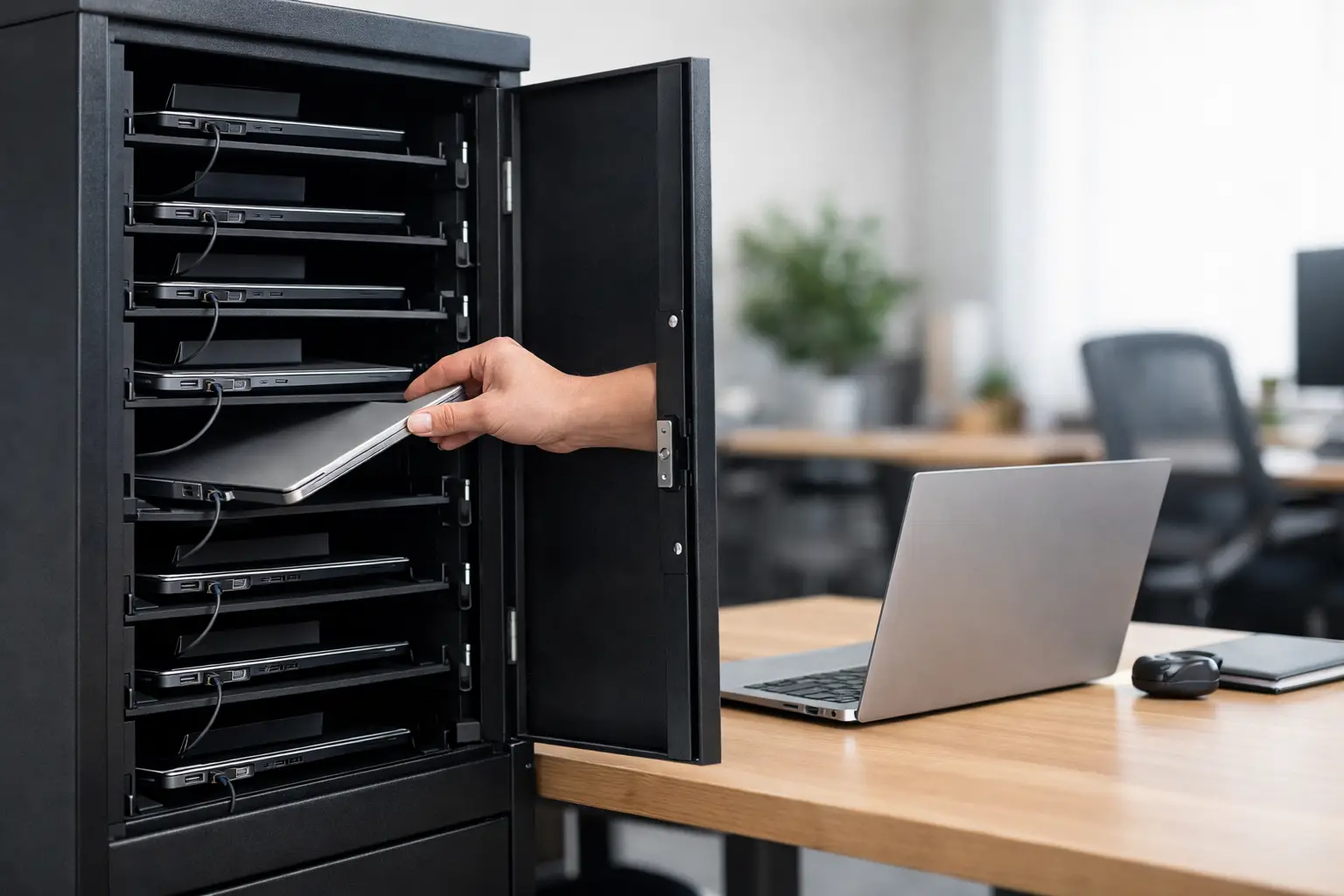
A broken charging routine usually shows up before anyone blames the furniture. Devices go missing between shifts, cables tangle, batteries are dead at the start of class or work, and one crowded counter becomes the unofficial drop zone for expensive equipment. A well-designed laptop storage cabinet solves that operational mess by bringing security, charging control, and organized access into one fixed system.
For business and institutional buyers, this is not a minor accessory purchase. A cabinet that stores ten or twenty laptops affects asset protection, user flow, cleaning routines, power management, and floor space. The right choice reduces daily friction. The wrong one creates it.
What a laptop storage cabinet needs to do
At a basic level, a laptop storage cabinet stores and protects devices when they are not in use. In practice, buyers usually need more than storage. They need predictable charging, restricted access, easy device return, and a cabinet structure that holds up under repeated daily use.
That is why cabinet design matters. Thin sheet metal, weak hinges, poor ventilation, and cramped cable routing can turn a simple storage unit into a maintenance issue. In schools, shared offices, training centers, and industrial workplaces, these cabinets are opened and closed constantly. Doors get bumped. Locks get tested. Shelves carry weight every day. Industrial-grade construction is not excessive here. It is the baseline.
The cabinet also has to match the workflow. A facility issuing devices at the start of each shift has different needs than a classroom charging cart replacement or an office that wants secure overnight storage. Capacity, locking method, door style, charging integration, and interior layout all depend on how the devices move through the site.
Where a laptop storage cabinet makes sense
The most common use case is shared device management. Schools, training centers, libraries, and testing rooms often need a controlled place to store and charge multiple laptops between sessions. A cabinet keeps devices accounted for and reduces the risk of desks, counters, or open shelving becoming unsecured storage.
In office environments, a laptop storage cabinet supports hot-desking and hybrid work. When employees do not have assigned workstations, the organization still needs a dependable way to secure company devices after hours or between bookings. This is especially useful in administrative offices, contact centers, and coworking-style layouts.
Industrial and healthcare settings bring different pressures. Devices may be used across shifts, in controlled zones, or by rotating teams. Here, secure storage is tied to accountability and readiness. If a laptop is needed for inspections, reporting, scanning, or line-side administration, it has to be charged, protected, and easy to issue without confusion.
Key selection criteria for buyers
Capacity should reflect real device counts
Start with the number of laptops in active circulation, then add room for growth. Buying exactly to current count often leads to overflow within a short period. If a department uses 12 devices today and expects to add 4 more this year, a 16-door or 20-compartment solution usually makes more sense than forcing a smaller format to work.
Device size matters as much as quantity. Not every cabinet compartment suits every laptop. Buyers should check shelf width, depth, and clearance, especially if protective cases or charging adapters stay with the device. A cabinet that technically fits the laptop but leaves no room for cables or airflow is undersized.
Charging integration needs to be practical
Some buyers need storage only. Others need every compartment to support charging. The distinction matters because charging adds heat, cable management needs, and power planning.
An effective charging cabinet should keep cables organized and protected from daily handling. Internal power distribution should be arranged so adapters are not hanging loose or pressed against the door. Ventilation is also important. Heat buildup shortens component life and creates avoidable service problems, particularly when many devices charge at the same time.
There is also a workflow question. Do users plug in devices individually, or is the cabinet configured so charging points are fixed and easy to access? In high-turnover environments, simpler layouts usually perform better because they reduce user error.
Security cannot be an afterthought
A laptop storage cabinet protects valuable assets, so locking and access control deserve close attention. Basic key locks may be enough in some offices. In schools, shared buildings, and higher-traffic sites, buyers may prefer more controlled access methods depending on internal policy.
Cabinet body strength matters just as much as lock type. A strong lock on a weak door is not real security. Look at door reinforcement, hinge quality, frame rigidity, and the overall gauge and construction of the metal body. Repeated use exposes weak points quickly.
For larger organizations, access management may also affect cabinet choice. If multiple supervisors or administrators need controlled entry, the storage solution should support that process without creating confusion around key handling or authorization.
Why material and construction matter
A laptop cabinet often looks simple from the outside. The difference shows up over time. Commercial use puts steady pressure on doors, shelves, and locking points. Powder-coated steel construction is typically the preferred choice because it handles repeated use, resists wear, and supports long service life in busy environments.
This is especially relevant for wholesale buyers, project contractors, and facility operators who are not purchasing for one room only. Standardization matters. When cabinets are deployed across a school network, office group, or public facility, consistency in build quality reduces maintenance variation and simplifies replacement planning.
Weld quality, finishing, and fit also affect user experience. Doors should align properly. Shelves should feel stable. Openings for cable routing should be placed logically. These details may seem minor on a specification sheet, but they shape daily use.
Standard product or custom cabinet?
Not every project needs a custom-built solution. A standard laptop storage cabinet is often the fastest and most cost-effective option when the capacity, dimensions, and charging format already match the application. For many offices, schools, and administrative spaces, a standard model covers the operational requirement with shorter lead times and easier procurement.
Custom production becomes relevant when the environment has specific constraints. That may include non-standard laptop sizes, a required cabinet footprint, a certain number of compartments, integrated charging layouts, branding requirements, or site-specific locking preferences. Custom work is also useful when a buyer wants the cabinet aligned with a broader metal storage program across the facility.
This is where manufacturer capability matters. Buyers should work with suppliers that can provide both standard products and production flexibility, rather than forcing every requirement into one fixed format.
Space planning and installation considerations
The cabinet has to fit the room, but also the movement around it. A narrow corridor, a small IT room, or a shared administrative space may limit door swing, user access, or cable routing. Wall placement, nearby outlets, and cleaning access should be considered before the order is placed.
Floor-standing cabinets are common because they offer higher capacity and stable placement. In some environments, wall-mounted or more compact formats may fit better. It depends on the traffic pattern and the available footprint.
Do not overlook power supply planning. Charging multiple laptops from one cabinet requires a safe and realistic electrical setup. The cabinet should be located where power access is reliable and where cables can be managed without creating trip hazards or visual clutter.
Common buying mistakes
One common mistake is choosing based on price alone. Low-cost cabinets may appear comparable in photos, but weak materials and poor internal layouts usually show their limits quickly in commercial use. Repairs, replacements, and user frustration erase the initial saving.
Another mistake is underestimating compartment size. Buyers sometimes focus on laptop screen size and forget the adapter, charging plug, and any protective case. Tight compartments slow down use and increase cable strain.
A third issue is treating all charging needs as identical. Some sites need overnight charging only. Others need constant readiness across shifts. The cabinet should be selected around the actual duty cycle, not a generic assumption.
What procurement teams should ask suppliers
A serious supplier should be ready to answer practical questions clearly. Ask about steel thickness, locking options, charging configuration, ventilation, coating quality, and customization range. Ask whether the cabinet is intended for light office use or heavy daily turnover. Ask about lead time, warranty terms, and consistency across repeat orders.
For distributors and project buyers, product breadth also matters. If the same manufacturer can support lockers, office cabinets, charging units, and other metal storage requirements, procurement becomes easier and projects stay more consistent. That is one reason many buyers work with manufacturers such as Loxmet for long-term supply rather than sourcing each item separately.
The best purchase is not just the one that fits the budget. It is the one that keeps devices secure, charged, and organized without adding work for staff.
A laptop storage cabinet should make daily operations quieter. Fewer missing devices, fewer dead batteries, fewer improvised storage habits. That is the standard worth buying for.