


Highlights
Laptop Charging Cabinet Buying Guide

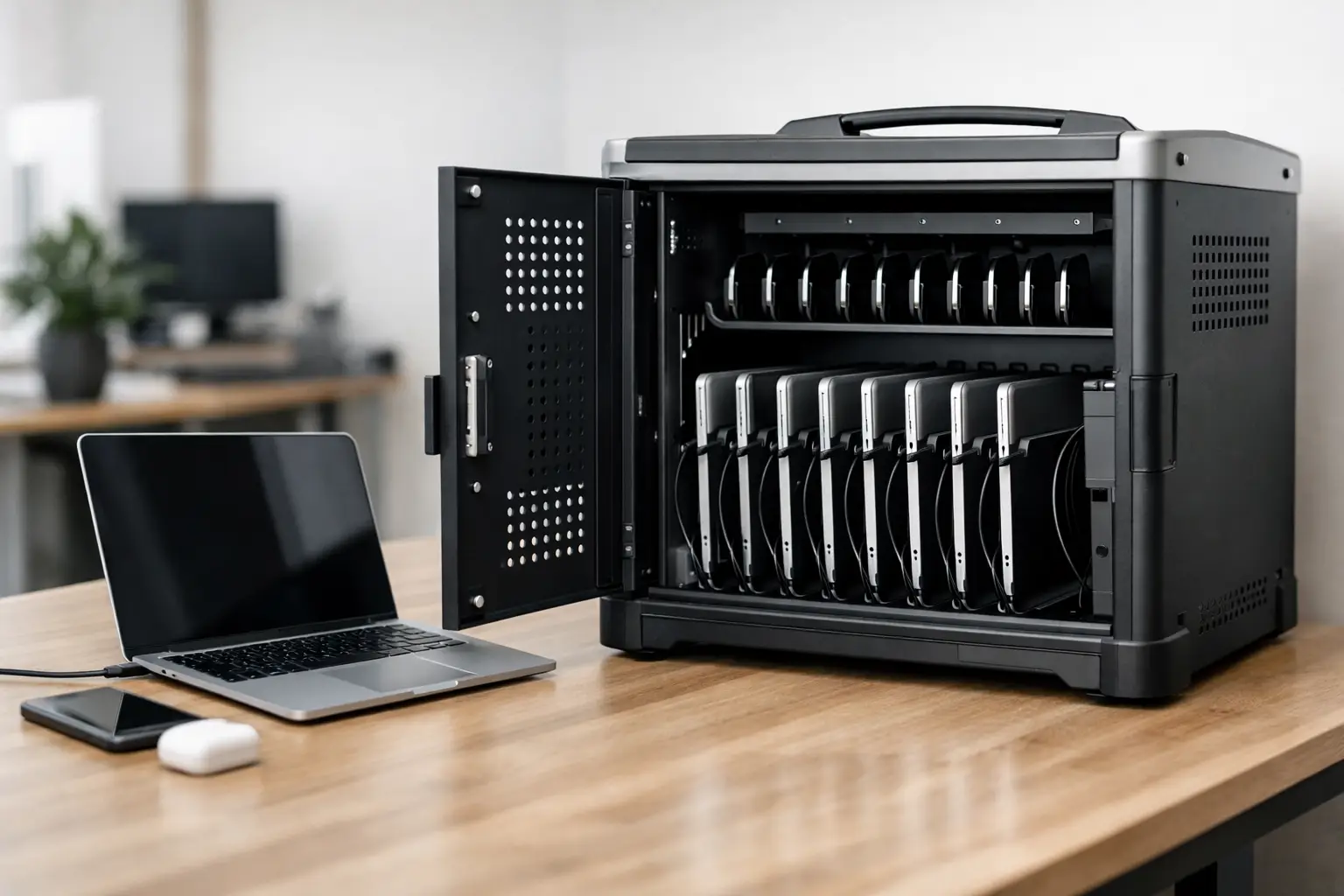
A laptop charging cabinet earns its value the moment 20 devices need to be stored, charged, and ready for the next shift, class, or meeting. Without a defined charging point, laptops end up spread across desks, plugged into wall outlets, or stacked in unsecured rooms. That creates avoidable risk – damaged devices, cable clutter, slow turnaround, and weak asset control.
For business and institutional buyers, the question is not whether charging storage is useful. The real question is which cabinet specification matches the way devices move through your facility. A school IT room, a training center, a hospital admin office, and a production site all use laptops differently. The right cabinet supports that workflow instead of creating extra handling.
What a laptop charging cabinet is designed to solve
At a basic level, a laptop charging cabinet combines three functions in one unit: secure storage, organized cable management, and centralized charging. That sounds straightforward, but in practice the cabinet has to handle daily use, different device sizes, and repeated opening and closing without becoming a maintenance problem.
In shared environments, centralized charging reduces device loss and confusion. Assigned slots make it easier to track where each laptop belongs. Lockable doors limit unauthorized access. Integrated power keeps devices charging in one controlled location instead of across multiple extension cords and outlets.
The productivity gain is often underestimated. When staff or students know exactly where devices are stored and whether they are charged, handover becomes faster. That matters in high-turnover settings where equipment changes hands several times a day.
Who typically needs a laptop charging cabinet
The strongest use case is any operation managing multiple laptops that are not permanently assigned to one person. Schools and training centers are the obvious examples, but they are far from the only ones. Corporate learning rooms, co-working spaces, libraries, healthcare administration teams, testing centers, engineering offices, and field-service departments often face the same issue.
Facility and procurement teams also look at these cabinets from a control perspective. Devices are expensive assets. A dedicated charging cabinet helps reduce accidental damage, keeps inventory together, and creates a more disciplined storage routine.
For distributors and project buyers, the category is also attractive because demand often overlaps with lockers, office cabinets, and other workplace storage systems. That makes specification consistency important, especially on larger fit-out projects.
Key features to compare in a laptop charging cabinet
Not every cabinet with power strips inside is suitable for commercial use. Buyers should look beyond capacity and check how the product performs in daily conditions.
Capacity and compartment sizing
Capacity is the first filter, but slot width and height matter just as much. Modern laptops vary in size, and some users store devices with sleeves or compact accessories. If compartments are too tight, users force devices in and damage becomes more likely. If slots are too large, capacity becomes inefficient.
It is worth reviewing your actual device mix before ordering. A cabinet sized for slim notebooks may not work well for larger business laptops or mixed fleets.
Charging layout and cable management
Poor cable management turns a charging cabinet into a service issue. Internal routing should keep adapters organized and separate from user access areas where possible. Clean cable paths reduce tangling, speed up setup, and make replacement easier when power supplies fail.
This is also where cabinet design quality shows. Access panels for service teams, protected electrical areas, and a clear internal layout save time over the life of the product.
Ventilation and heat control
Charging multiple laptops in an enclosed metal unit generates heat. Ventilation is not a cosmetic detail. It is a practical requirement. Buyers should review whether the cabinet design supports airflow for the intended device load.
The right level of ventilation depends on charging density, duty cycle, and room conditions. A cabinet used occasionally in an air-conditioned office has different demands than one running at high occupancy in a warm training space.
Locking and access control
Security requirements vary by facility. Some buyers need simple keyed locking. Others prefer systems aligned with broader access-control policies. The important point is that the locking method should match the value of the stored devices and the number of authorized users.
Door construction matters too. Frequent-use environments need hinges, locks, and handles that can tolerate repetition without loosening or misaligning.
Build quality and material strength
For B2B applications, cabinet durability affects total cost more than purchase price alone. Thin construction may look acceptable on day one but can deform under daily use, especially when doors are opened constantly and laptops are loaded and removed in volume.
A metal cabinet built for commercial use offers better long-term stability, stronger security, and easier integration into broader workplace storage standards. That is one reason many buyers prefer working with manufacturers that already produce industrial and institutional metal furniture at scale.
How to choose the right size and setup
The right cabinet is rarely the one with the highest capacity. It is the one that matches how devices are issued, returned, and monitored.
If devices are checked in once a day, a larger centralized cabinet may make sense. If laptops are used by different teams across multiple rooms, several smaller units may work better. Centralization improves control, but distributed storage can reduce walking time and congestion.
You should also consider future changes. If your device fleet is likely to grow, buying exactly to current capacity can create a second procurement cycle sooner than expected. At the same time, oversizing too far can waste floor space. The practical answer is usually moderate capacity headroom rather than maximum expansion.
Why metal construction matters in commercial settings
A laptop charging cabinet in a business, school, or public facility is not decorative furniture. It is an operational asset. That changes the standard buyers should apply.
Metal construction supports repeated use, better impact resistance, and stronger lock integration. It also performs better in shared environments where equipment is moved quickly and not always handled carefully. Powder-coated metal surfaces are easier to maintain and generally better suited to institutional cleaning routines than lighter-duty alternatives.
For procurement teams managing multiple sites, standardized metal storage systems also simplify planning. A supplier that can align charging cabinets with lockers, office cabinets, and other storage products can help create a more consistent fit-out approach.
Customization can be more important than standard capacity
Many buyers start with standard models, which is sensible for speed and budget. But customization becomes important when the cabinet needs to fit a specific operational requirement.
That might mean adjusting compartment dimensions, changing lock types, modifying door layouts, increasing ventilation, or matching project color requirements. In some cases, power configuration or overall cabinet dimensions need to change to suit the room plan.
This is especially relevant for distributors, contractors, and institutional buyers managing specification-heavy projects. A supplier with metal fabrication capability can usually respond more effectively than a reseller limited to fixed catalog items. For buyers who need both standard products and project-specific production, that flexibility can reduce sourcing complexity.
Common buying mistakes to avoid
The most common mistake is treating all laptops as if they have the same footprint and charging behavior. Device variation affects slot sizing, adapter management, and heat load. The second mistake is focusing only on unit price while overlooking serviceability, lock quality, and long-term durability.
Another issue is underestimating user behavior. If a cabinet is awkward to use, people will bypass it. Doors should open cleanly, slots should be easy to access, and cable connections should not require constant adjustment. Good storage discipline depends partly on product design.
Finally, buyers sometimes ignore installation realities. Floor space, door swing, power access, and room circulation all matter. The cabinet has to fit the workflow and the room, not just the spreadsheet.
What business buyers should ask suppliers
Before placing an order, ask how the cabinet is constructed, what laptop sizes it is intended to hold, how the electrical section is organized, and what level of customization is available. You should also ask about lead times, warranty terms, and whether the supplier regularly serves commercial or institutional projects.
For larger orders, sample review is often worthwhile. A charging cabinet is a high-touch product. Procurement teams, IT staff, or facility managers should evaluate usability as well as specification.
Manufacturers such as Loxmet are often strongest when buyers need a combination of standard product reliability and project flexibility. That matters when timelines are tight or the storage requirement goes beyond an off-the-shelf format.
A well-chosen laptop charging cabinet does more than store devices. It improves control, reduces avoidable damage, and supports a cleaner daily routine for the people using it. If the cabinet matches your devices, workflow, and environment, it becomes one of those products the facility quickly stops noticing – because it simply works.