


Highlights
10 Charging Locker Mistakes Schools and Offices Make (and How to Fix Them Before You Buy)

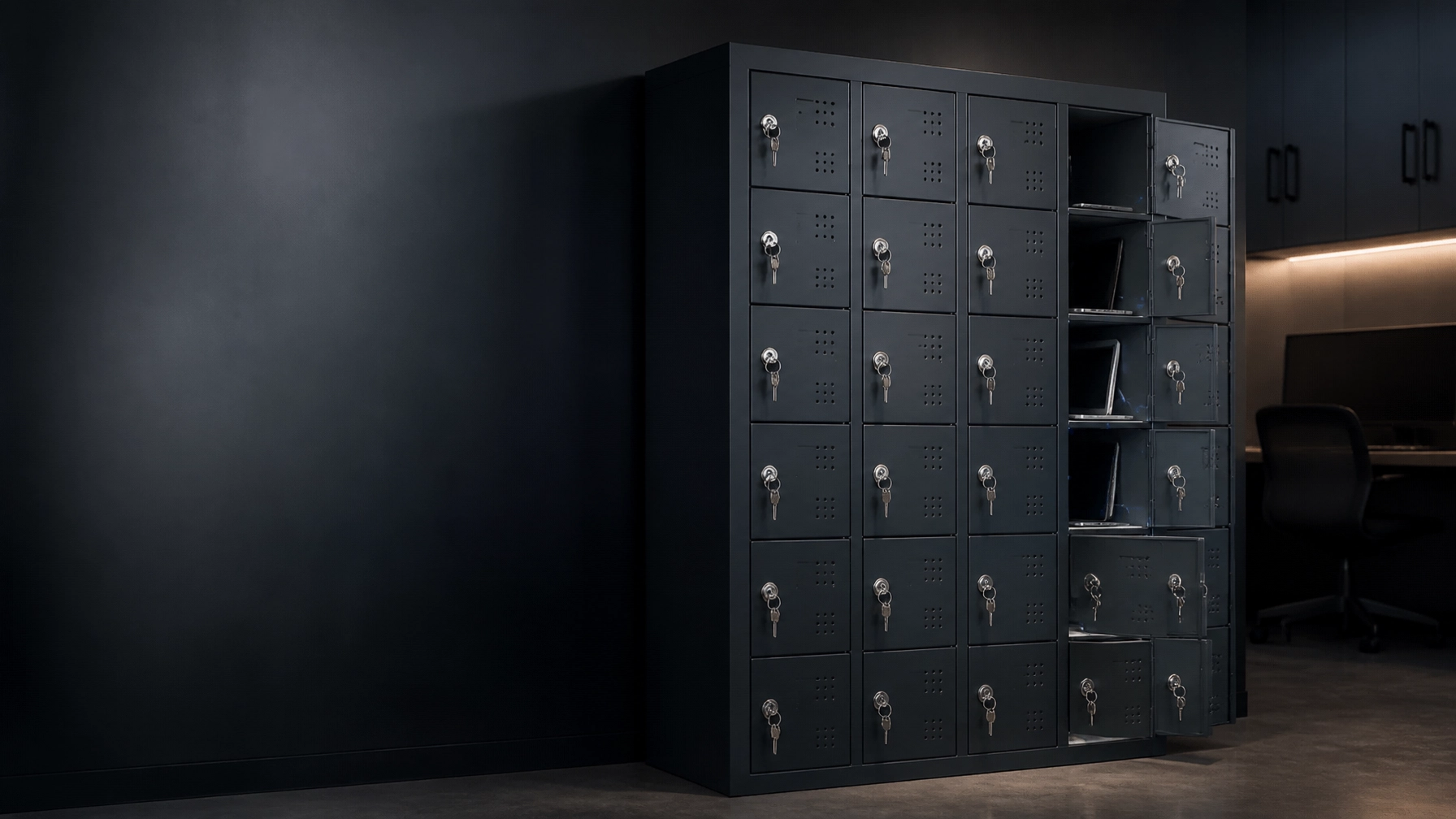
Charging lockers help schools and offices store devices safely, keep laptops ready, and reduce daily cable disorder. But not every locker with a power socket is a safe or efficient charging solution.
Before you compare models, check the cabinet construction, total electrical load, ventilation, device fit, cable routing, lock type, maintenance access, and future capacity.
A low purchase price does not always mean low operating cost. The right charging lockers protect devices, simplify daily workflows, and deliver reliable value over many years.
Mistake 1: Treating Standard Lockers as Charging Cabinets
A standard metal locker provides secure storage. It does not automatically provide safe charging.
Adding a power strip inside a normal locker can create several problems:
- No planned cable routing
- Poor heat control
- Difficult electrical inspection
- Limited protection from cable damage
- Unclear maximum load
- No suitable service access
A standard locker can sometimes be adapted, but only when the manufacturer and a qualified electrician approve the design. Drilling holes and adding extension cables is not a professional retrofit.
Better solution: Choose a purpose-built laptop charging locker or request a custom cabinet with integrated power management, ventilation, and protected cable paths.
Loxmet supplies charging storage solutions for tablets and devices. Its iPad charging cabinet is designed for up to 20 tablets, with integrated charging, ventilation, and mobile use through castors. For different device fleets, our custom design service allows the cabinet layout to be developed around your project.
Mistake 2: Ignoring Total Electrical Load
The number of compartments is not the same as the available charging capacity.
For example:
20 bays × 65 watts per bay = 1,300 watts before system losses
Your actual requirement depends on:
- Maximum power per port
- Number of devices charging together
- Input voltage
- Power supply efficiency
- Circuit rating
- Whether laptops use their own AC adapters
- Local electrical regulations
Do not assume that one wall socket can support every locker configuration. Ask the supplier for the maximum input load, recommended circuit, and number of required connections.
A qualified electrician should confirm the building capacity and installation requirements. Do not expand a charging locker with unapproved extension leads or daisy-chained power strips.
Ask before you buy: What is the maximum total load when every bay is active?
Mistake 3: Choosing Poor Ventilation
Charging produces heat. Dense device storage increases the importance of airflow.
Completely sealed compartments can trap heat around laptops, tablets, chargers, and batteries. This can reduce charging performance and increase thermal stress.
Passive or Active Ventilation?
Passive ventilation uses perforated doors, ventilation slots, and air movement through the cabinet. It is quiet, simple, and suitable for many standard device charging applications when properly designed.
Active ventilation uses fans to move air. It can be useful for high-density, high-power installations or warm technical rooms. However, fans add noise, power use, cleaning requirements, and additional components that can fail.
The right choice depends on the device mix, charging power, room temperature, cabinet density, and manufacturer testing.
Better solution: Request clear ventilation details. Check perforation design, airflow direction, maximum simultaneous charging, and room placement. Never cover ventilation openings with bags, paper, or equipment.
For general lithium-ion charging guidance, review the U.S. Fire Administration lithium-ion battery safety information.

Mistake 4: Selecting Unsuitable Compartment Sizes
A laptop charging locker must fit the real device fleet, not only the smallest laptop in your inventory.
Measure:
- Laptop width, depth, and height
- Protective cases
- Power adapters
- Cable bend radius
- Tablets with covers
- Phones and accessories
- Larger 15-inch or 16-inch laptops
- Device removal space
A compartment that fits a bare tablet may not fit a rugged case. A narrow bay can also put pressure on charging connectors and cables.
Can You Mix Laptops and Tablets?
Yes, but only with a planned mixed layout. Laptop compartments need more depth and width. Tablets and phones need smaller bays, but they still require enough room for safe cable connection and easy removal.
Ask for different bay sizes instead of accepting one layout for every device. Loxmet provides flexible production and custom metal fabrication for project-specific dimensions.
Mistake 5: Underestimating Cable Management and Cable Wear
Cables fail where they are bent, pulled, trapped, or repeatedly twisted against a door.
Weak cable management creates:
- Broken USB-C connectors
- Loose charging ports
- Damaged insulation
- Door blockages
- Slow device turnover
- Extra replacement cost
The charging cabinet should protect cables from sharp edges and excessive bending. Cable openings need suitable grommets or protected routes. Users should be able to connect devices without forcing the door shut.
Better solution: Check cable length, routing, strain relief, connector position, and replacement procedure. Ask whether cables are standard, replaceable parts or permanently integrated into the cabinet.
A good charging locker makes daily use simple. It should not require users to push cables into corners before closing the door.
Mistake 6: Forgetting Maintenance Access
A charging locker is an electrical product as well as a metal cabinet. Power modules, sockets, USB-C boards, locks, fans, and cables eventually need inspection or replacement.
If the only way to service the electrical system is to remove the entire locker bank, downtime becomes expensive.
Look for:
- Front or rear service access
- Separated electrical compartments
- Replaceable power modules
- Accessible cable channels
- Clear component identification
- Safe isolation before maintenance
- Manufacturer service instructions
Maintenance access is especially important in schools, offices, and high-traffic facilities where the cabinet operates every day.

Mistake 7: Assuming Every USB-C Port Charges Every Device
USB-C describes the connector. It does not guarantee the same charging performance for every device.
Check:
- USB-C Power Delivery compatibility
- Watts available per port
- Voltage and current profiles
- Laptop charging requirements
- Tablet and phone compatibility
- AC outlet availability for older devices
- Manufacturer-approved chargers and cables
Some laptops need more power than tablets or phones. If your fleet includes different brands, a mixed solution with USB-C PD and AC outlets may be more practical.
Do not buy only by connector type. Ask for the technical specification sheet and test the largest and oldest devices in your fleet.
The USB Implementers Forum charging information provides background on USB-C Power Delivery. Schools and offices should also follow each device manufacturer’s charging instructions.
Mistake 8: Choosing Locks Without Considering Daily Use
A key lock is simple and cost-effective. An electronic, PIN, RFID, or smart lock can provide faster access, user control, and usage records.
The correct choice depends on your workflow:
- Shared student devices
- Assigned employee laptops
- Visitor phone storage
- Loaner equipment
- IT-controlled access
- Short high-traffic charging cycles
- Overnight device charging
For smart lockers, ask about administrator override, power-loss behavior, offline operation, user records, and software integration.
For simple secure storage, mechanical locks may provide better value and less maintenance. For controlled device circulation, smart lockers can reduce manual tracking.
Choose the access system after defining the process, not before.
Mistake 9: Placing Lockers Where Doors Block Traffic
Charging lockers are often installed in corridors, classrooms, reception areas, libraries, and open-plan offices. These locations can become congested quickly.
Measure:
- Door opening clearance
- User standing space
- Wheelchair access
- Emergency exit routes
- Cleaning access
- Cable connection space
- Device collection and return flow
A door that opens into a corridor can block movement during class changes or shift turnover. In an office, a charging station beside a meeting-room entrance can create unnecessary congestion.

Better solution: Mark the cabinet footprint on the floor before ordering. Test the busiest period, not only normal quiet use. Consider wall-mounted phone charging lockers for small devices and floor-standing laptop lockers for larger fleets.
Charging lockers are different from open charging kiosks. A kiosk suits visible, short-term charging. Lockable compartments suit shared devices, overnight storage, and locations where security matters.
Mistake 10: Planning Only for Today’s Devices
A school or office device fleet changes quickly. Today’s tablets may be replaced by larger laptops. USB-A equipment may become USB-C equipment. Staff numbers may increase. A small charging station can become undersized within one purchasing cycle.
Plan for:
- Additional bays
- Larger future laptops
- Mixed device sizes
- USB-C PD upgrades
- Replacement cables
- Spare capacity on electrical circuits
- Modular expansion
- Future smart access requirements
Recommended approach: Build capacity for expected growth, not only current headcount. One empty bay is often less expensive than replacing the entire cabinet later.
Charging Locker Safety Checklist
Before approving your order, confirm:
- Purpose-built charging cabinet construction
- Maximum total electrical load
- Recommended circuit and input voltage
- Passive or active ventilation design
- Maximum device and bay dimensions
- USB-C PD wattage
- AC outlet requirements
- Protected, replaceable cables
- Maintenance access
- Lock and administrator access method
- Door clearance and traffic flow
- Safety documentation and local installation requirements
- Warranty and technical support
- Expansion or custom production options
Only charge approved devices with suitable, certified chargers. Remove damaged or swollen batteries from service. Keep ventilation openings clear, avoid overloaded circuits, and follow local fire and electrical requirements.
What Is the ROI of Charging Lockers?
The return on investment comes from more than electricity management.
Charging lockers can help reduce:
- Lost or misplaced devices
- Unplanned device downtime
- Manual IT collection work
- Cable replacement
- Theft risk
- Classroom and office clutter
- Delays at the start of a working day
Compare the cabinet cost with device replacement, staff time, charging failures, and the value of ready-to-use equipment. For high-use environments, secure organized charging often delivers measurable operational value.
Why Choose Loxmet Charging Storage?
Loxmet manufactures durable metal lockers and storage solutions in Istanbul, Turkey. We offer:
- Heavy-duty metal construction
- Laptop, tablet, and phone charging locker solutions
- Flexible production
- Custom compartment layouts
- Competitive pricing
- Single-piece ordering
- International supply support
- 10-year warranty for production faults
Standard products in catalogue colours generally have a 10-working-day delivery time. Custom colours and made-to-order products typically require approximately 10 additional working days. For larger orders exceeding two container or truck loads, special pricing is available.
Explore the Loxmet product range, review our company manufacturing background, or request a custom charging locker design for your school or office.
Frequently Asked Questions
Can Standard Lockers Be Retrofitted for Charging?
Only with an approved electrical and cabinet design. Do not install loose power strips inside standard lockers. A purpose-built charging locker provides better cable routing, ventilation, load control, and maintenance access.
How Much Electrical Load Does a Charging Locker Need?
It depends on the number of active bays, charger wattage, input voltage, and device mix. Multiply maximum watts per bay for an initial estimate, then ask a qualified electrician to confirm the circuit and installation.
Is Passive Ventilation Enough?
Passive ventilation can be suitable for many moderate charging applications when the cabinet design and load are properly matched. Active ventilation may be useful for dense or high-power installations. Request manufacturer guidance rather than assuming.
Can One Locker Charge Laptops, Tablets, and Phones?
Yes, with the correct mixed-bay dimensions and charging hardware. Confirm USB-C PD power, AC outlet requirements, device sizes, and cable compatibility before ordering.
What Makes Charging Lockers Safer?
Purpose-built electrical components, protected cable routing, suitable ventilation, overload protection, correct installation, certified chargers, and regular inspection all support safer charging. Follow local regulations and device manufacturer instructions.
Are Charging Lockers Better Than Charging Kiosks?
Charging kiosks are useful for visible short-term charging. Charging lockers offer separate secure compartments, better device accountability, and safer storage when users leave devices unattended or overnight.
How Can Charging Lockers Improve ROI?
They protect devices, reduce cable wear and loss, organize high-traffic charging, lower manual handling, and keep equipment ready for the next class or work shift.
Compare the technical details before you buy. Contact Loxmet today for secure, durable, and flexible charging locker solutions.
If you are planning charging storage for classrooms, staff rooms, libraries, admin offices, or shared device areas, contact Loxmet for a practical charging-locker specification. We can help you define the right cabinet based on your device fleet, room layout, user flow, and electrical requirements, with secure, durable, and project-ready solutions for schools and offices.