


Highlights
Laptop Locker Buying Guide for Workplaces

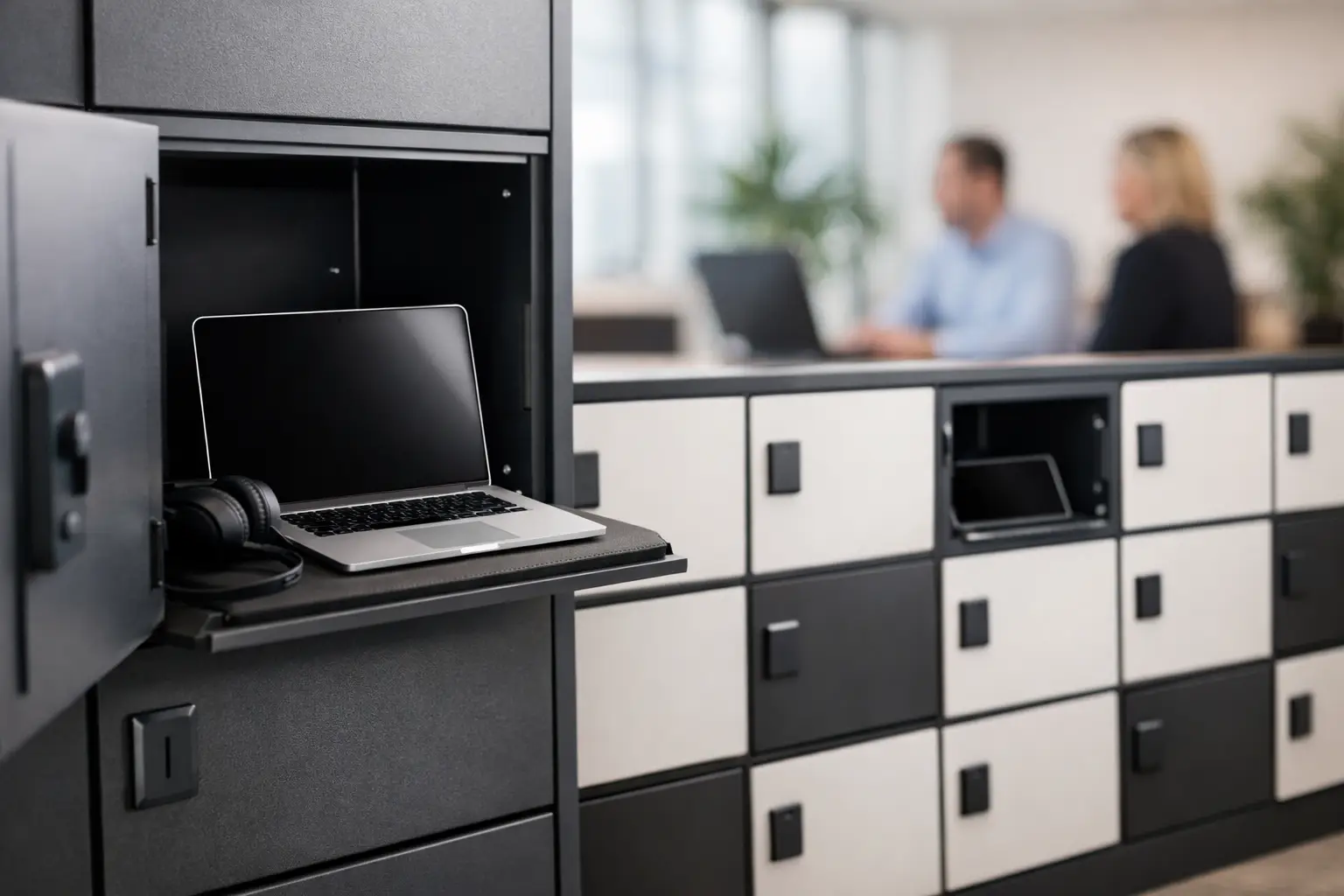
A laptop locker solves a very specific operational problem. Devices are expensive, frequently shared, and easy to misplace when storage is treated as an afterthought. In offices, schools, healthcare settings, and industrial facilities, the wrong storage setup quickly turns into lost time, damaged equipment, charging bottlenecks, and avoidable security risks.
What a laptop locker needs to do
At a basic level, a laptop locker provides individual secure compartments sized for laptops and related devices. For commercial buyers, that definition is not enough. The product also has to match the way people actually use devices during a shift, across a school day, or between teams sharing equipment.
That means storage is only one part of the decision. Buyers usually need to think about access control, charging requirements, ventilation, cable management, footprint, and daily traffic. A locker that looks right on paper can still create friction if doors are too small, compartments are too shallow, or charging cables become difficult to manage.
In practical terms, the best choice depends on whether your priority is pure device security, device charging, or a mix of both. A standard compartment locker may work well for low-turnover environments where devices are issued to one user. A charging model is often better for schools, shared office fleets, training rooms, and operations where devices need to be ready at the start of every shift.
Laptop locker types for different facilities
Not every site needs the same configuration. A procurement team buying for a corporate office is solving a different problem than a school administrator or a facility manager responsible for multi-shift teams.
Standard secure laptop lockers
These are designed primarily for controlled storage. Each compartment gives users a dedicated space to secure a laptop, charger, and small accessories. This format works well in workplaces where employees bring company devices back to the same locker each day, or where the main concern is preventing theft and casual access.
The advantage is simplicity. Standard lockers are typically easier to maintain and can be more cost-effective than charging units. The trade-off is obvious – if devices need to leave the locker fully charged every morning, separate charging routines may still be required.
Laptop charging lockers
A laptop locker with charging capability adds power access within each compartment or shared charging infrastructure across the unit. This is often the stronger option for education, flexible workplaces, training centers, and shared-device environments.
Charging lockers reduce clutter around desks and eliminate the patchwork approach of extension cords and ad hoc charging stations. They also support better accountability because each device has an assigned, lockable location. The main consideration is heat management and electrical planning. When multiple devices charge at the same time, ventilation and internal cable routing matter much more.
Shared-use and project-based configurations
Some buyers do not need one locker per employee or student. They need a bank of compartments sized around a pool of devices. This is common in visitor management, temporary staff setups, mobile teams, and project spaces.
In those cases, capacity planning should reflect actual peak use rather than total headcount. Buying too little creates overflow problems. Buying too much can waste floor space in high-value areas.
Key specifications that matter before you buy
A laptop locker should be evaluated like any other workplace equipment – by function, durability, and fit for the environment.
Compartment size and device fit
This is the first filter. Laptop dimensions vary, and protective cases make them larger. Some organizations also want enough room for a charger, mouse, headset, or documents. If the compartment only fits the base device, users will start storing accessories elsewhere, which weakens the purpose of centralized storage.
It is also worth checking how devices are inserted and removed. Tight openings slow down use, especially in schools and shift-change environments where many users access lockers at the same time.
Locking options and access control
The right lock depends on user behavior and site policy. Key locks are straightforward and cost-effective. Cam locks and hasp arrangements may suit more basic requirements. Digital or coded access can be useful in high-traffic or managed environments, but they add another layer of administration.
There is no universal answer here. If your site has frequent turnover, key management can become inefficient. If users are long-term and assigned fixed compartments, simpler locking systems may be the better operational choice.
Charging integration
If charging is required, buyers should ask how power is distributed, how cables are protected, and whether maintenance access is practical. Internal sockets, charging modules, and organized cable pathways make daily use easier and reduce wear.
A charging locker should also support safe airflow. Heat buildup is manageable when the unit is designed for it. It becomes a problem when charging is improvised inside a storage product that was never intended for powered use.
Material quality and long-term durability
For commercial environments, metal construction remains the dependable choice. A metal laptop locker is better suited to repeated use, impact resistance, and long service life than lighter-duty alternatives. This is especially relevant in schools, industrial facilities, shared offices, and public-access areas where lockers face daily wear.
Buyers should look beyond appearance. Door alignment, hinge strength, coating quality, and frame rigidity all affect how the product performs after years of use rather than after installation week.
Why metal construction is usually the better investment
A laptop locker is rarely a short-term purchase. Most organizations want a storage solution that remains serviceable through device refresh cycles, changes in team structure, and normal facility wear.
That is why industrial-grade metal construction tends to make more sense for B2B buyers. It supports higher daily usage, gives better resistance against forced entry, and performs more consistently in demanding environments. Powder-coated finishes also help protect against scratches, corrosion, and routine cleaning exposure.
For distributors and project buyers, metal lockers also offer more flexibility in custom production. Dimensions, door layouts, lock types, ventilation patterns, and power integration can often be adapted to suit the project rather than forcing the project to fit a generic unit.
Common use cases for a laptop locker
In offices, laptop lockers are increasingly used in flexible work environments where employees do not keep fixed desks. The locker becomes the secure handoff point between home, office, and shared workspace.
In schools and training centers, they help reduce device loss and support daily charging. Here, capacity and ease of use often matter as much as security. Students need to access devices quickly, and staff need a system that does not create supervision problems.
In healthcare and industrial settings, the priority may be controlled device storage between shifts. Shared laptops, tablets, and handheld devices need a defined location, and storage furniture must stand up to constant use. In these environments, reliability is often more important than added features.
When standard products work – and when custom matters
Many buyers can meet their needs with a standard laptop locker if the environment is straightforward. If device sizes are typical, access is assigned, and charging requirements are clear, a standard model can speed up procurement and delivery.
Custom production becomes more useful when the site has unusual device dimensions, specific lock requirements, space constraints, branded fit-out standards, or integrated charging needs across a larger project. That is often the case for commercial fit-outs, multi-site rollouts, and institutional procurement where consistency matters.
A manufacturer with both standard product capacity and custom fabrication capability gives buyers more room to balance speed, cost, and fit. That is often more valuable than choosing from a narrow catalog alone.
How to evaluate suppliers for laptop locker projects
The product matters, but supply performance matters too. Commercial buyers need to know whether the supplier can deliver consistent quality, realistic lead times, and clear technical guidance.
Ask direct questions about steel quality, finish, lock options, charging integration, packing, and warranty support. For larger orders, it also helps to confirm whether the supplier can handle phased delivery or project-specific modifications. A laptop locker may look simple, but poor execution shows up quickly once units are installed and used at scale.
Manufacturing capability should be part of the buying decision. A supplier that understands workplace storage in broader categories, not just one product line, is usually better equipped to advise on layouts, matching storage systems, and future expansion. That is one reason business buyers work with manufacturers such as Loxmet when they need durable metal storage backed by customization and production flexibility.
The right laptop locker should make device storage quieter, safer, and easier to manage from day one. If it fits the workflow, users stop thinking about the locker and simply rely on it, which is exactly what good workplace equipment is supposed to do.